

Dashboard assistant: account answers and key actions
Your dashboard now has an assistant: it shows balance and spending, suggests models, helps connect tools and, once you confirm, creates keys or support tickets.
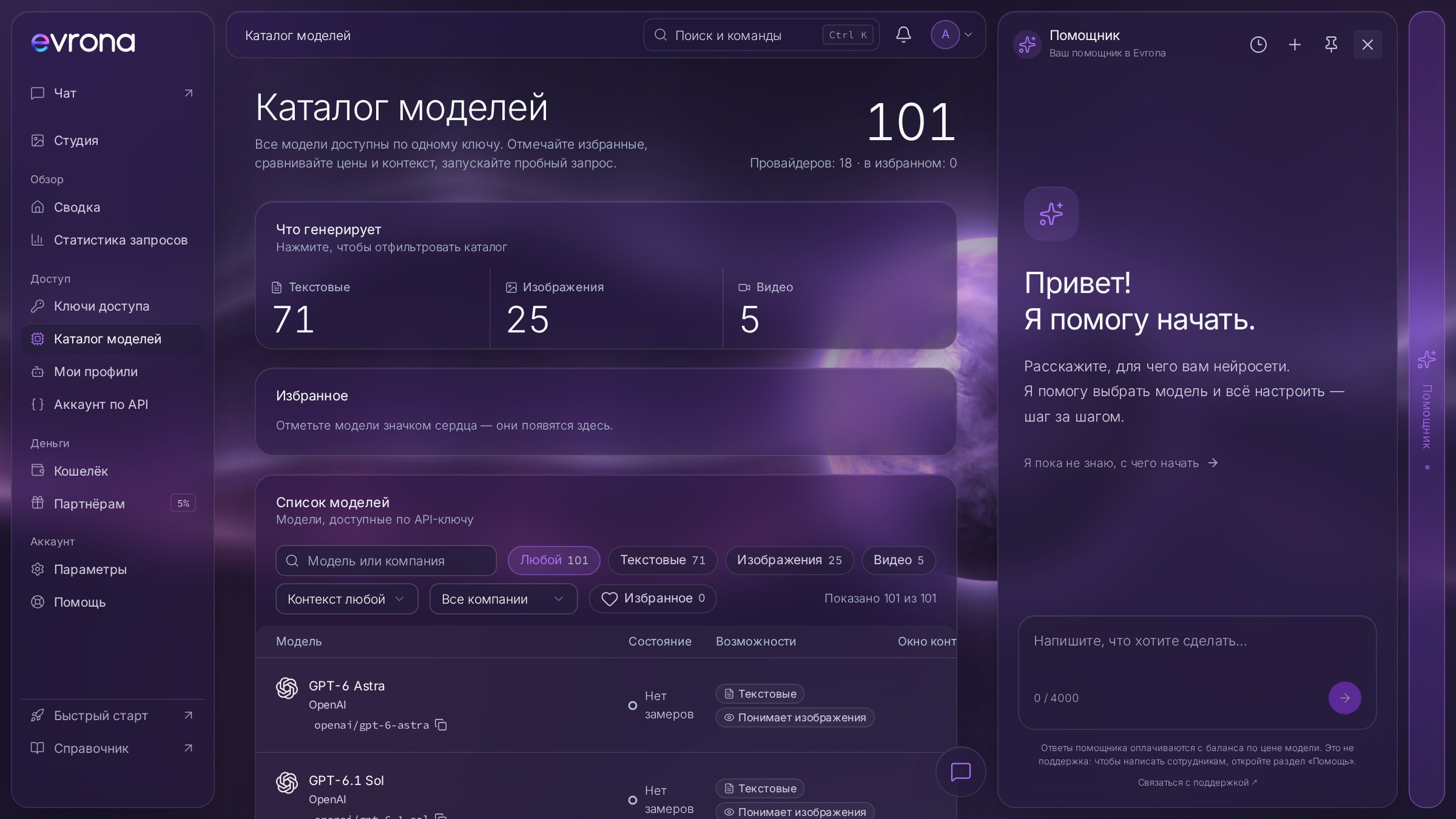
We've added an assistant to your dashboard: an AI chat that knows how Evrona works. It helps you get started, shows your balance and spending, suggests a model for your task and explains how to connect a tool. It can also handle simple key actions for you, always after you confirm.
Where to find it
The "Assistant" button is on every page of your dashboard. Click it and a chat panel opens on the right. If you've just signed up and aren't sure what to do next, click "I’m not sure where to start" or simply tell it what you need AI for: the assistant will suggest a model and the next step.
The assistant replies in your interface language. It requires a verified email.
What the assistant can do
Answer questions about your account
Balance and spending. Shows your current balance and a spending summary for anywhere from one day to 90 days, including a breakdown by day, model or key.
Keys. Lists your API keys with their limits and access schedules.
Models and prices. Finds suitable models in the catalog and quotes their prices straight from the catalog, never made-up numbers.
Connecting tools. Finds the right help article and explains how to connect Cursor, Claude Code, n8n or your own app.
Referrals and support tickets. Shows your referral stats and the status of your support tickets.
Take actions, but only with your consent
The assistant can create a new key, pause or resume a key, set a spending limit or an access schedule, and open a support ticket. Before each action it shows a card describing exactly what it's about to do. Nothing changes until you confirm.
Some things the assistant won't do: it doesn't revoke keys, top up your balance, request payouts, change your profile or security settings, or delete your account. For those it gives you a link to the right dashboard page. It will never ask for your password or key secrets.
How much it costs
Assistant replies are paid from your balance at the price of the model it runs on. Right now that's DeepSeek V4.1 Flash, one of the most affordable models in the catalog, so a typical question costs a fraction of a cent. Every reply shows how much was charged for it.
The assistant isn't customer support. If you need a human, the panel has a "Contact support" link, and you can also open a ticket through the assistant itself.
Conversation history
Past conversations live under "Conversations", and "New conversation" gives you a clean slate. Conversations are kept for 30 days after the last message and then deleted automatically.
Get started
Sign in to your dashboard or create an account.
Click "Assistant" on any dashboard page.
Ask something like "How much did I spend this week?", "Which model is good for coding?" or "Create a key for n8n with a $5 limit".